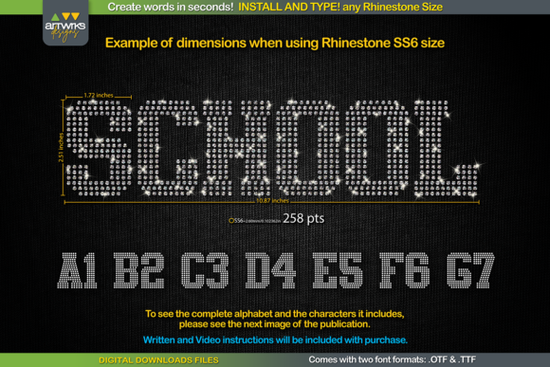
If you've been looking for a fast way to create rhinestone text for shirts, bags, or heat transfer projects, the RS02 Atletico TTF RHINESTONE Template Font might be exactly what you need. Instead of manually placing each rhinestone, this typeable font lets you simply type a word and instantly get a filled rhinestone layout ready to cut. It's designed for crafters and small business owners who want professional-looking rhinestone designs without spending hours arranging stones by hand.
What Is a Rhinestone Template Font and How Does It Work?
A rhinestone template font is a special typeface where each letter is already filled with dots arranged to match standard rhinestone sizes. When you install the font and type in your design software, the letters automatically show the correct pattern of circles each one representing where a rhinestone will go.
The slab serif style of this Atletico template font gives your text a bold, sporty look that works well for team names, gym wear, cheerleading designs, and event merchandise. Since it comes in both .TTF and .OTF formats, you can use it across different operating systems and design programs without compatibility headaches.
What Can You Make With a Rhinestone Template Font?
This type of font is useful for a range of creative and commercial projects. Here are some common uses:
- Rhinestone T-shirts for sports teams, bachelorette parties, or school events
- Heat transfer vinyl (HTV) designs where letters need to be properly trapped and arranged
- Custom tote bags, hoodies, and hats with sparkling text
- Personalized gifts like monogrammed items for birthdays or holidays
- Print-on-demand products for Etsy shops or craft fairs
Whether you're a hobbyist making gifts for friends or a small business owner fulfilling orders, having a go-to rhinestone font saves real production time.
Which Software Works With This Font?
One of the best things about this template is its wide compatibility. Once installed, it works in:
- Cricut Design Space
- Silhouette Studio
- Inkscape
- Adobe Illustrator
- Any program that supports standard TTF or OTF fonts on Windows, Mac, iPad, or iPhone
You don't need any special plugins or extra software. Just install and type.
How Do You Set the Right Font Size for Each Rhinestone?
The key to getting clean, properly spaced rhinestone templates is setting the correct font point size based on the stone you're using. Here's a quick reference:
- SS6 stones set the font to 189 pt
- SS10 stones set the font to 241 pt
- SS16 stones set the font to 295 pt
- SS20 stones set the font to 388 pt
Note: If you're using Cricut Design Space, the program sometimes doesn't hold these exact sizes after recent updates. The included instructions show you a simple workaround to adjust the sizing manually so your template cuts correctly every time.
How to Install and Start Using the Font
Getting started takes just a few minutes:
- Download the zipped file from your Creative Fabrica account.
- Unzip the folder to access the .TTF and .OTF files.
- Install the font on Windows, right-click the .TTF file and select "Install for all users." On Mac, double-click and choose "Install Font."
- Open your design software and create a new project.
- Type your word, select the Atletico rhinestone font, and adjust the size to match your stone.
- Send to your cutter and weed the template for rhinestone application.
Each letter comes pre-filled with properly trapped circles, so there's no manual arrangement needed. You type, resize, and cut that's it.
Who Is This Font Best For?
This font is a practical choice for anyone who regularly works with rhinestone or HTV text designs:
- Crafters who sell custom apparel at markets or online
- Small business owners looking to speed up production
- Print-on-demand sellers expanding into rhinestone products
- Teachers, coaches, and event organizers making team or group gear
- Creative hobbyists who enjoy making personalized gifts
Quick Checklist Before You Start
- ✅ Confirm your cutter software supports TTF fonts
- ✅ Know your rhinestone size (SS6, SS10, SS16, or SS20)
- ✅ Set the matching font point size from the chart above
- ✅ Test-cut a short word first before running a full design
- ✅ Keep the instruction file handy for the Cricut sizing workaround
Next step: RS02 Atletico rhinestone template font grab it, install it, and try cutting your first rhinestone word today. Start with something short like a name or team word to get comfortable with the sizing before moving on to longer phrases.
Get Started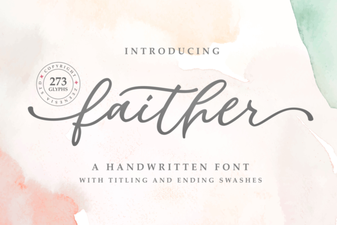 Faither Font: Elegant Typography for Creative Design Projects
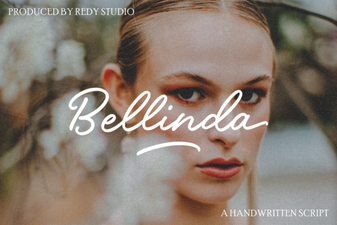 Bellinda Modern Calligraphy Font for Elegant Design Projects
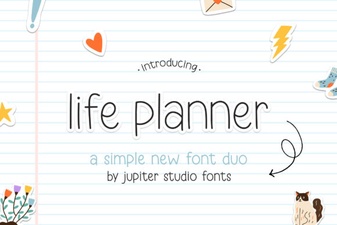 Life Planner Duo Font – Elegant Pairing for Creative Designs
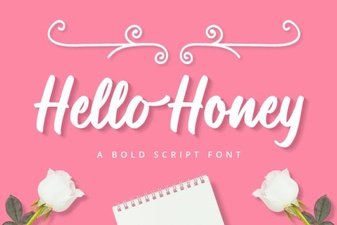 Charming Hello Honey Font for Sweet Design Projects
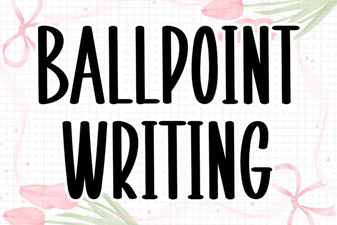 Ballpoint Writing Font: Elegant Handwritten Style for Any Design
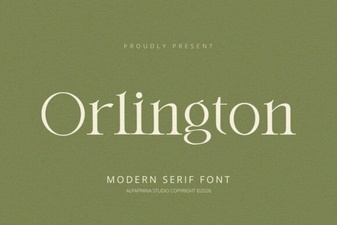 Orlington Font: a Stylish Typeface for Creative Design