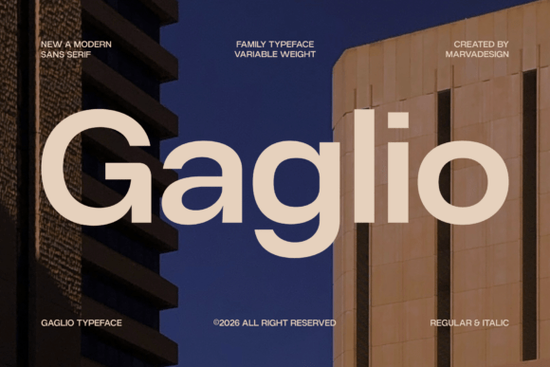
If you're searching for a modern sans serif typeface that works across branding, editorial, and digital design, the Gaglio Font is worth a close look. It's a geometric typeface family with clean lines and a variable weight system, designed to feel both professional and current. Whether you're building a logo, laying out a magazine spread, or designing a mobile app interface, Gaglio brings a polished, architectural quality that holds up well at any size.
What makes Gaglio stand out from other geometric sans serifs?
Plenty of fonts claim to be "modern" and "versatile," but Gaglio backs it up with a few specific design choices that matter in practice:
- Variable weight system You get multiple weights in one family, so you can create visual hierarchy without mixing typefaces.
- Regular and italic styles Both are included, giving you flexibility for body text, pull quotes, and emphasis.
- Large x-height This makes lowercase letters more legible, especially at smaller sizes on screens.
- Generous apertures The open letterforms help with readability in both print and digital contexts.
These details might sound technical, but they translate into a font that simply works on business cards, websites, packaging, and social media graphics without much tweaking.
Who should consider using Gaglio?
Gaglio fits a wide range of creative needs. Here's where it tends to shine the most:
Small business owners and startups If you're building a brand from scratch, you need a typeface that looks credible without feeling stiff. Gaglio's geometric structure gives your logo and marketing materials a confident, clean appearance. It pairs well with both minimal and bold design directions.
Print-on-demand sellers Typography matters on products. A font like Gaglio, with its sharp geometry and balanced proportions, works nicely on mugs, tote bags, posters, and apparel where text needs to be instantly readable.
Editorial and layout designers The combination of regular and italic styles, plus multiple weights, makes Gaglio practical for magazine layouts, lookbooks, and reports where you need consistent type hierarchy.
Crafters and hobbyists Even for personal projects like planners, invitations, or wall art, a clean sans serif like Gaglio gives your work a professional touch. You can also try pairing it with a script-style duo for a more personal feel.
What types of projects does Gaglio work best for?
Because of its neutral, architectural character, Gaglio adapts well to many different contexts. Here are some specific uses that suit it:
- Logo design Its geometric precision gives logos a structured, trustworthy look.
- Website headers and UI The large x-height and clean shapes make it easy to read on screens.
- Business cards and stationery A polished sans serif always looks sharp in professional collateral.
- Social media graphics Bold weights work well for headlines and callouts on Instagram, Pinterest, and more.
- Packaging and labels Clean typography helps products look shelf-ready.
- Resume and document design If you want a modern alternative to Helvetica or Arial, Gaglio offers a similar vibe with more character.
How does Gaglio compare to similar fonts?
If you're exploring the sans serif category on Creative Fabrica, you'll find several options worth comparing. For instance, Amavera Font takes a softer, more rounded approach, while a typeface like Ragonte leans into a slightly different aesthetic. If you prefer something with more decorative flair, a font like Savora might catch your eye.
Gaglio sits firmly in the corporate-modern space. It doesn't try to be quirky or expressive instead, it focuses on clarity, structure, and adaptability. That makes it a strong default choice when you need text to communicate clearly without drawing attention to the typeface itself.
How to get the most out of this font
A few practical tips for working with Gaglio in your projects:
- Use weight contrast for hierarchy. Set headlines in Bold or Black and body text in Regular. This creates clear visual separation without needing a second typeface.
- Pair it with a serif or script. Gaglio's clean geometry contrasts nicely with a decorative or handwritten font. Try mixing it with something like a complementary display option for more visual interest.
- Test at multiple sizes. Because of its generous apertures and x-height, Gaglio performs well at both large display sizes and smaller body text. Always preview your design at the actual output size.
- Check the full character set. Before finalizing your design, review the complete glyph set to make sure all the characters and alternates you need are included.
Quick checklist before you start designing
- ☑ Download Gaglio and install both regular and italic styles.
- ☑ Decide which weights you need for your project (headline, subhead, body).
- ☑ Test readability at your intended output size print and screen render differently.
- ☑ Choose a complementary font if your design calls for contrast.
- ☑ Review licensing terms to confirm it covers your specific use case (commercial projects, POD, etc.).
Good typography doesn't need to be complicated. A well-built geometric sans serif like Gaglio can handle most of what you throw at it the key is picking the right weight and pairing it thoughtfully with the rest of your design.
Get Started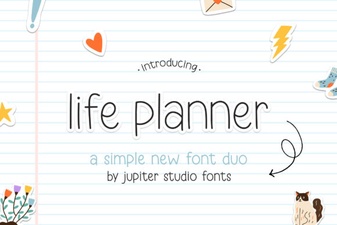 Life Planner Duo Font – Elegant Pairing for Creative Designs
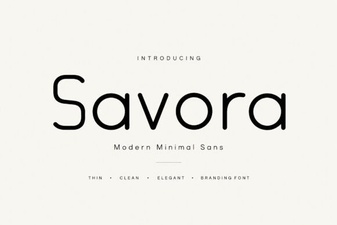 Savora Font: a Stylish Choice for Creative Designers
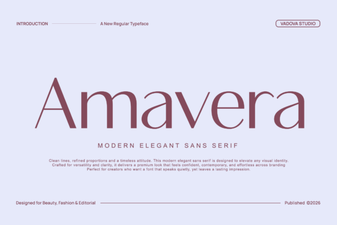 Amavera Font Free Download - Modern Sans Serif Typeface
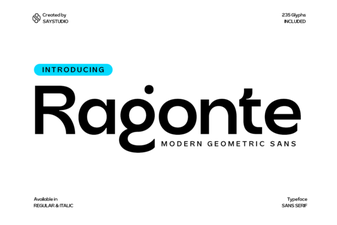 Ragonte Font - Free Modern Sans Serif Typeface Download
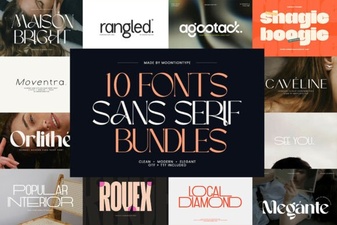 Modern Sans Serif Font Bundles for Clean Design Projects
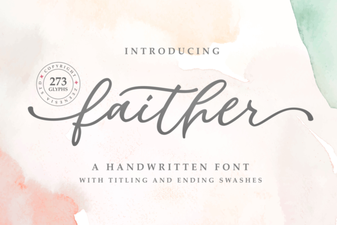 Faither Font: Elegant Typography for Creative Design Projects